
Looking for Fortune Clock Casino UK with download options that suit British players? The first thing to know is that “Fortune Clock” may refer to a casino brand, a game, or a promotional label, and the available products can vary by operator. Check the name and publisher carefully before installing anything. A trustworthy casino should identify its operator, explain its terms, and make clear whether play is available through a browser, an app, or both.
This guide focuses on practical download considerations for players in the United Kingdom: pound sterling support, device compatibility, account security, payment checks, and responsible play. It does not assume that a particular app or game is currently available. Verify the latest details directly with the casino and check that the operator is authorised to serve UK customers before registering or depositing.
What “GBP-friendly” should mean
GBP-friendly access is about more than seeing a pound sign on the cashier page. Ideally, the casino lets you choose GBP as your account currency, displays deposits and withdrawals in pounds, and explains any conversion charges before a payment is confirmed. If an account is held in another currency, card providers or e-wallets may apply their own exchange rates and fees.
Review the cashier information before funding an account. Check the minimum and maximum transaction amounts, available payment methods, withdrawal processing times, and any identity checks. A casino may accept a deposit method that it does not support for withdrawals, so read the payment terms rather than relying on a logo alone.
Download options: app, browser, or desktop
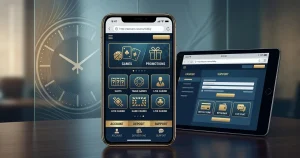
Mobile apps
If an official app is offered, find it through a link on the casino’s verified website or through a recognised app store listing. Confirm that the developer name matches the operator information on the site. Review the app’s permissions and update history, and avoid installation files shared through unofficial download pages, social media messages, or direct links from strangers.
UK availability can differ by device and operating system. An app may not appear in every store, may be restricted by location, or may be replaced by a mobile-optimised website. Never change device security settings simply to install a casino package from an unverified source.
Browser play
A browser version can be a straightforward alternative when no verified app is available. Use the casino’s official web address, check that the connection is secure, and bookmark the correct page once confirmed. Browser play avoids installing a separate casino application, although individual games may still load through software supplied by their developers.
Keep your browser and operating system updated. If a game fails to load, first check whether the casino lists supported browsers and devices. Do not download unknown “fixes,” plug-ins, or configuration files offered by pop-up messages.
How to check an operator before signing up
Players in Great Britain should confirm that the operator is licensed by the UK Gambling Commission for the relevant gambling activity. Look for the company’s legal name and licence details, then check the regulator’s public register independently. A licence logo on a webpage is not, by itself, proof that the site is authorised.
- Check the operator: Match the legal business name and licence details against the UK Gambling Commission register.
- Read the terms: Review bonus rules, withdrawal conditions, identity verification requirements, and account restrictions.
- Confirm the currency: Make sure GBP is available and look for possible conversion or payment-provider fees.
- Use official channels: Download only from a verified site or recognised app store listing.
- Protect your account: Use a unique password and enable any additional security features offered.
If the operator’s identity, licence, or payment terms are difficult to verify, pause before registering. Do not send identity documents or payment details through an unverified email address or messaging account.
Getting started safely
- Visit the operator’s official website and confirm that it is available to UK customers.
- Verify the company and its UK licence information using the regulator’s register.
- Choose browser play or install an app only if its source and developer are confirmed.
- Create an account using accurate details. The casino may ask for age and identity verification.
- Select GBP, if offered, and check the cashier’s payment and withdrawal terms.
- Set spending and time limits before playing, and use only money you can afford to lose.
UK gambling services are for adults aged 18 and over. Verification checks may take place before a first withdrawal or at another point in the account process. Provide documents only through the casino’s secure, official verification channel, and ask support how files are stored and handled if the instructions are unclear.
Questions and answers
Is Fortune Clock Casino UK a confirmed casino app?
The name alone does not establish that an official app exists. It may describe a casino, a game, or a marketing label. Check the operator’s verified website and recognised app stores, and compare the developer details before installing anything.
Can I play in pounds sterling?
That depends on the specific operator. Look for a GBP currency option in the account or cashier settings. If the account uses another currency, your bank or payment provider may convert transactions and charge a fee. Confirm the total cost before depositing.
Is a download required to play?
Not necessarily. Many casino games can be accessed through a mobile or desktop browser. If an app is available, compare its source and terms with the browser option, and avoid third-party installation files.
Why might a casino request identity documents?
Operators may need to verify a customer’s age and identity, meet regulatory obligations, or complete payment checks. Follow the casino’s secure instructions and make sure you are using the genuine website before uploading sensitive documents.
What should I do if a withdrawal is delayed?
Check the stated processing time and whether verification is outstanding. Contact customer support through the official site, keep a record of the conversation, and review the withdrawal terms. If the operator is UK-licensed and you cannot resolve a complaint through its formal process, consult the casino’s published complaints information about the next steps.
Keeping play manageable
Casino games are gambling, not a reliable way to earn money. Outcomes can be unpredictable, and a return-to-player figure—where published—is a long-run statistical measure, not a promise about an individual session. Treat deposits as entertainment spending, decide on a limit in advance, and stop when that limit is reached.
Look for tools such as deposit limits, time reminders, time-outs, and self-exclusion. Use them before play becomes difficult to control. If gambling is causing financial or personal harm, stop using the account and seek support from a UK gambling-help service, such as GamCare or the National Gambling Helpline.
Final checklist
Before trying Fortune Clock Casino UK, confirm exactly what the name refers to, verify the operator’s UK authorisation, and check whether the official product supports your device. Make sure GBP is available and understand payment fees, verification steps, and withdrawal conditions. If you decide to proceed, use only official access routes, secure your account, and set limits first.
To access an existing account, use the casino’s verified website or official app and select the account sign-in option: log in to fortune clock casino uk. If you cannot confirm that the page is genuine, do not enter your password or payment information. Use the operator’s published support channel to check the correct address.


